
Website to CRM & sales pipeline
When a prospect submits a form or requests a quote, their data is automatically captured in the CRM, assigned to a rep, and scheduled for follow-up.
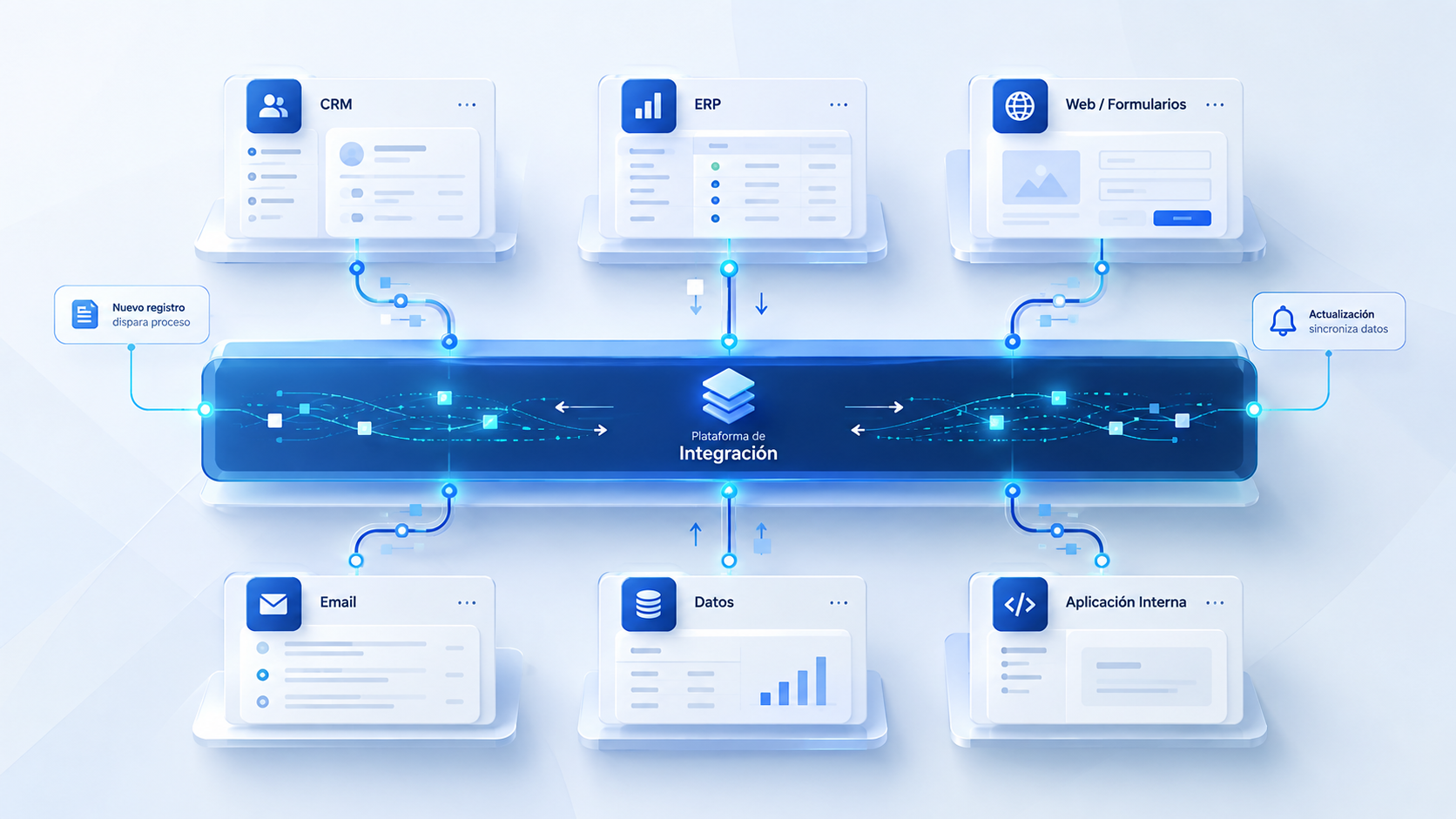
We connect your CRM, ERP, databases and applications so information moves automatically and every action happens at the right moment.
No more duplicated records, disconnected spreadsheets or copy-pasting between screens.
It is common for a business to use one tool for billing, another for customer relationships, an inbox for incoming requests, and dozens of spreadsheets to keep track of daily work. When these tools are disconnected, your staff becomes the manual bridge: copying data between windows, manually updating records, and risking outdated information. With intelligent integration, every tool receives the verified data it needs instantly.
Less mechanical busywork and a single authoritative source of truth for the entire business.
Integrations tailored to your real operations, with clear business rules and zero unnecessary complexity.
When a prospect submits a form or requests a quote, their data is automatically captured in the CRM, assigned to a rep, and scheduled for follow-up.
When a deal closes or a quote is accepted, the order or invoice is generated automatically in your financial software (Holded, SAP, Navision, Sage) without rekeying data.
An e-commerce purchase or sales order updates stock levels in real time, creates the packing slip, and alerts the carrier without delays.
Real-time notifications via email, Slack or Teams when critical events occur: an at-risk account, an overdue invoice, or an urgent customer task.
A clean architecture that defines what triggers data movement, which rules apply, and how unexpected issues are resolved.
Something happens in your business: a new contact arrives, a payment is confirmed, or an order status updates.
The system verifies that data is complete, checks permissions, and determines which information needs to be forwarded.
The target application (ERP, database or CRM) receives clean, structured data ready for immediate use.
If a service is temporarily offline or mandatory fields are missing, the system queues retries or alerts a team member without losing data.
Connecting systems is not just plugging cables: it requires defining data ownership and guaranteeing operational continuity.
We clearly define which system owns each domain of information (for example, the ERP for accounting and the CRM for pipeline), avoiding conflicting records.
If an external app fails to respond, information is never lost: it is queued safely with full audit logs.
Every connection uses encrypted credentials and accesses only the data strictly necessary for its specific function.
We build on open APIs, webhooks, and standard architectures so your business always retains full ownership of its tech stack.
The vast majority of modern cloud software provides APIs or webhooks. If you use older on-premise software or legacy databases, we evaluate direct database connections, automated exports or secure proxy gateways.
It depends on your workflow requirements. We support real-time event synchronization (webhooks) for immediate actions, as well as scheduled batch runs (e.g., nightly stock or ledger reconciliations).
Our architecture uses message queues and automatic retry mechanisms. No data is lost, and the team receives an immediate alert if manual attention is required.
No. Our philosophy is to connect and maximize the value of the software your team already knows and uses every day.
We review what tools you use today, which data is being moved manually between them, and design an initial connection flow so information starts moving seamlessly.